How Content Creators Repurpose Live Streams
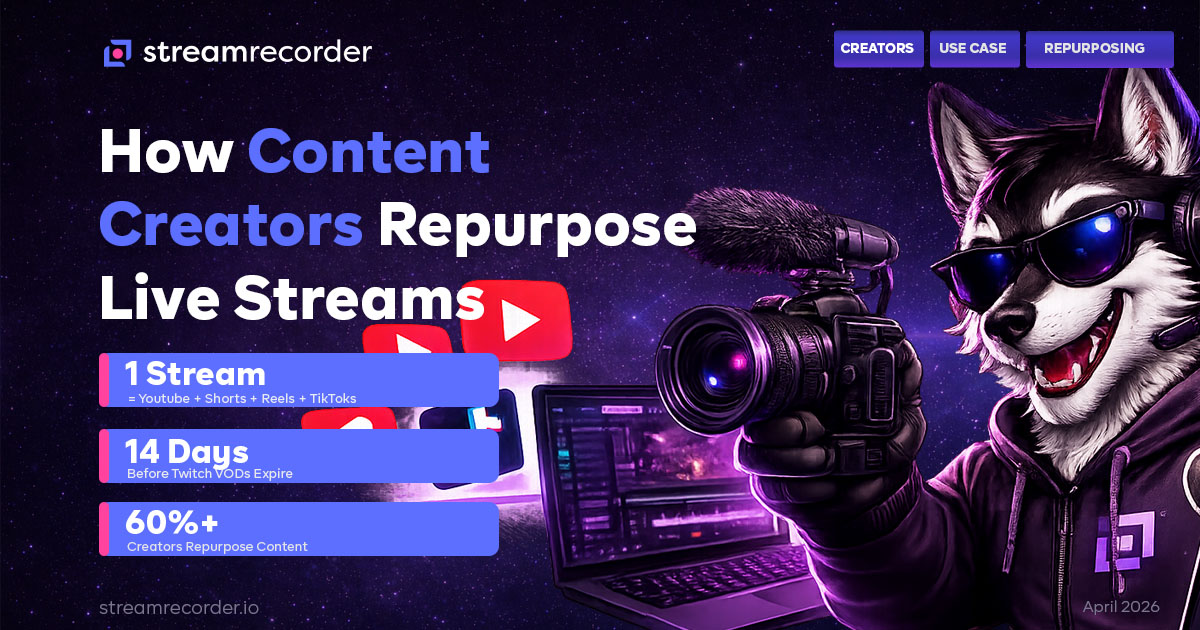
A creator I follow on Twitch runs 4-hour streams three times a week. That's 12 hours of live content. From those 12 hours, she consistently produces: two 10-15 minute YouTube videos, four to six YouTube Shorts, three to five TikToks, two to three Instagram Reels, and one weekly compilation clip for Twitter. Every single week.
She told me once that her live streams account for about 30% of her total audience but generate 100% of her content pipeline. Everything she posts on every other platform starts as raw material from a Twitch broadcast.
This is the repurposing model that's become standard for mid-size and large streamers in 2026. The live broadcast isn't the end product. It's the factory floor. And the entire model depends on one thing: having a reliable, complete recording of every stream.
Why Repurposing Changed the Creator Economy
Five years ago, streamers were just streamers. You went live on Twitch, you built an audience on Twitch, and your content existed on Twitch. If people missed the stream, maybe they caught the VOD. Maybe they didn't. The content lived and died on one platform.
That's not how it works anymore. The creators who are growing fastest in 2026 are the ones who treat each live broadcast as source material for a cross-platform content operation. A 4-hour Twitch stream isn't 4 hours of content. It's a raw footage library that gets sliced into a dozen pieces, each optimized for a different platform and audience.
The economics are obvious. A Twitch stream reaches whoever is online at that moment. A YouTube video from that same stream accumulates views for months. A TikTok clip from a highlight moment can reach 10x the live audience in 48 hours. A compilation posted on Instagram Reels hits a completely different demographic. The live stream is the seed. The repurposed content is the crop.
But none of it works without recordings.
The Recording Problem for Creators
You'd think creators would have this figured out. They're the ones making the content. How hard is it to keep a copy?
Harder than it sounds, for three reasons.
Platform VODs expire. Twitch gives Affiliates 14 days, Partners 60 days. Kick keeps replays for 7-30 days. TikTok saves nothing by default (as we covered in the TikTok recording guide). If a creator doesn't extract their clips within that window, the source material is gone.
OBS local recordings fail. Plenty of streamers record locally through OBS while streaming. But OBS recordings are only as reliable as the computer they're running on. Power outage? Corrupted file. Hard drive full? Recording stops silently. Forgot to hit record because you were distracted by chat during the first 5 minutes? Those 5 minutes are gone forever. I detailed the failure rates in the StreamRecorder vs OBS comparison, and the numbers aren't great for unattended local recording.
Multi-platform streamers don't have a single recording source. A creator who streams on Twitch on Mondays, TikTok on Wednesdays, and Kick on Fridays needs recordings from three different platforms. OBS can only record one at a time, and each platform's native VOD system works differently. There's no unified archive.
Cloud recording solves all three problems. StreamRecorder.io monitors channels across 11 platforms and records every broadcast automatically. The creator gets a complete, cloud-stored copy of every stream regardless of which platform it happened on, independent of VOD expiration timers, with no local hardware dependencies.
Five Ways Creators Repurpose Stream Recordings
1. YouTube Highlight Videos
The most common repurposing format. Take a 4-hour stream, identify the 3-5 best moments, edit them into a 10-15 minute YouTube video with a compelling title and thumbnail. Upload, optimize the description for search, and let YouTube's algorithm do the distribution work.
YouTube videos from stream highlights have a completely different lifecycle than the original broadcast. A Twitch VOD disappears in 14 days. A YouTube highlight video compounds views for months or years. The same content, reformatted and redistributed, generates ongoing revenue and audience growth long after the original stream is forgotten.
This requires a complete, high-quality recording of the stream. If you're working from a VOD that's already been muted due to DMCA (Twitch mutes copyrighted music in stored VODs), your highlight video has dead audio sections. If you're working from a screen recording that cut off when your phone ran out of storage, you might have missed the best clip. A cloud recording captures the full, uninterrupted broadcast.
2. Short-Form Clips (Shorts, Reels, TikToks)
The highest-ROI repurposing format in 2026. A single 15-60 second clip from a stream, reformatted vertically, can outperform the entire live broadcast in views.
The workflow is simple in theory: watch the recording, find moments with strong reactions, unexpected outcomes, or quotable lines. Clip them. Add a text hook at the top. Post across YouTube Shorts, Instagram Reels, and TikTok.
In practice, this only works if you have the full recording to scrub through after the fact. Real-time clipping during a live stream catches maybe 20% of the good moments. A creator who's actively engaging with chat, managing their OBS scenes, and performing can't simultaneously be clipping every highlight. The complete recording is the safety net that ensures nothing gets missed.
3. Podcast-Style Audio Extraction
Streamers who do long-form "Just Chatting" content, interviews, or commentary streams are increasingly extracting the audio and publishing it as a podcast. A 3-hour conversation stream becomes a 3-hour podcast episode with zero additional recording work.
The audio quality from a properly recorded stream is usually podcast-ready. Cloud recordings capture the stream's audio at the source bitrate, which is clean enough for podcast distribution after basic processing (normalization, noise reduction).
This is a particularly smart play for creators whose stream content is primarily conversational rather than visual. The commentary has value even without the video, and podcast audiences are distinct from live stream audiences.
4. Tutorial and Educational Content
Gaming streamers who explain their decision-making during broadcasts are sitting on a goldmine of educational content. A Diamond-ranked League of Legends player who narrates their thought process during ranked games is creating tutorial content in real time. They just don't know it yet.
The repurposing workflow: review the recording, identify sequences where the streamer explained something clearly, isolate those segments, add chapter markers or annotations, and publish as standalone educational content. "How I climbed from Gold to Diamond" becomes a 20-minute YouTube video built entirely from archived stream footage.
This extends beyond gaming. Music streamers explaining their production process. Art streamers narrating their technique. Cooking streamers walking through recipes. Any live broadcast where the creator teaches while performing is raw educational material waiting to be packaged.
5. Compilation and Best-Of Content
Monthly or weekly compilation videos that collect the best moments from multiple streams into a single package. "Best of May 2026" videos perform well because they give new viewers a concentrated introduction to a creator's personality and content.
This format is impossible without a comprehensive recording archive. You need access to every stream from the compilation period. If half your VODs expired and the other half are screen recordings with notification banners, the compilation looks inconsistent and unprofessional.
Creators who use cloud recording build an automatic archive over time. Every broadcast, across every platform, stored and accessible. When it's time to compile, the library is complete.
The Multi-Platform Creator Problem
The fastest-growing content strategy in 2026 is platform diversification. Stream on Twitch for the core audience. Clip to TikTok for discovery. Compile to YouTube for evergreen growth. Reformat for Instagram to reach a different demographic.
This strategy requires recordings from every platform a creator uses. A creator who goes live on Twitch on Monday, TikTok on Wednesday, and Kick on Friday needs a recording workflow that covers all three. OBS handles one at a time from a single desktop. Platform-native VODs have different expiration windows. Nothing is unified.
StreamRecorder.io covers Twitch, Kick, and TikTok (plus 8 more platforms) from a single dashboard. Add each channel once. Every broadcast on every platform gets recorded automatically. The creator has one archive spanning all their platforms, accessible from anywhere.
For creators streaming across Korean or Asian platforms (SOOP, Pandalive, Twitcasting, Bilibili, Douyin, FlexTV, CHZZK), this is even more critical. Those platforms have shorter replay windows, no download options, and Korean or Chinese language interfaces that make manual archiving difficult. We've covered each one individually: Twitcasting, Bilibili, Douyin, Pandalive, FlexTV.
The Creator Workflow
Here's the workflow I've seen the most successful repurposing creators use:
During the stream: Focus on the live experience. Engage chat, perform, create. Don't try to simultaneously clip or manage recordings. The stream itself is the raw material. Let it be raw.
Immediately after: Verify that the recording exists and is complete. With cloud recording, this means checking the StreamRecorder dashboard. With OBS, this means checking the local file. Don't assume the recording worked. Verify.
Within 24 hours: Scan the recording for highlight moments. Flag timestamps for potential clips. Identify longer segments that could become standalone videos.
Within the week: Edit and publish the repurposed content. YouTube highlights go up first (longest shelf life). Short-form clips follow (highest immediate reach). Audio extraction for podcasts. Tutorial segments if applicable.
Monthly: Compile the best moments into a "Best of" video. Review which clips performed well on which platforms. Adjust the live stream format based on what repurposes best.
This workflow is only possible with reliable, complete recordings. Every gap in the archive is a gap in the content pipeline.
Bottom Line
Live streaming in 2026 is a raw material business. The broadcast is the input. The repurposed content is the output. Creators who treat their streams as one-time events are leaving 70% of the value on the table.
The entire repurposing model depends on having a reliable recording of every stream, across every platform, with no gaps. Cloud recording delivers that. Everything else introduces failure points that eventually cost content.
If you're a creator who streams on one or more platforms and isn't systematically repurposing that content, the recording setup is step one. Everything else follows from having the archive.
For the full breakdown on recording methods across all major platforms, start with the complete guide to recording live streams. For platform viewership data, visit the streaming platform statistics page.
StreamRecorder.io supports automatic cloud recording across 11 live streaming platforms. See also: StreamRecorder vs OBS, Cloud Recording vs Screen Recording, How to Record TikTok Lives.