How to Record Pandalive Streams (2026)
I found Pandalive the way most people outside Korea find Pandalive: through a clip on TikTok that made no sense without context. It was a PandaClass performance, a structured group dance session that looked somewhere between a K-pop showcase and a variety show. The production quality was surprisingly high. The chat was moving at a speed I associate with Twitch during a major tournament. And the entire interface was in Korean.
I wanted to watch more. The problem was that by the time I found the streamer's profile on Pandalive, the replay was already gone. I'd later learn that some Pandalive replays disappear within 48 hours. I didn't know that at the time. I just knew the content existed, it was good, and I had no way to access it.
That was about six months ago. Since then I've figured out how Pandalive works, what the replay situation actually looks like, and which recording methods hold up when you're dealing with a Korean-language platform from the other side of the planet.
What Pandalive Is
Pandalive (팬더티비) is a Korean live streaming platform operated by Panda TV, a Seoul-based company founded in 2019. The platform is part of Korea's competitive live streaming ecosystem alongside AfreecaTV (now SOOP) and CHZZK, though it occupies a different niche than either.
The platform is best known internationally for PandaClass (팬더클래스), a format built around structured live dance performances from Korean creators. These sessions have built a dedicated following outside Korea, with clips spreading on TikTok and YouTube. Search terms like "pandalive korean dance" and "panda class korean" pull consistent traffic from fans who discovered the platform through social media but don't know how to access or save the original content.
Beyond PandaClass, Pandalive hosts a range of live content: talk shows, music performances, IRL streams, and interactive broadcasts that use the platform's virtual gifting system. The interface is entirely in Korean. Registration works through Korean mobile authentication or social login. The app is available on both iOS and Android.
For viewers outside Korea, the language barrier is the first obstacle. The lack of any download functionality is the second.
Pandalive's Replay Situation
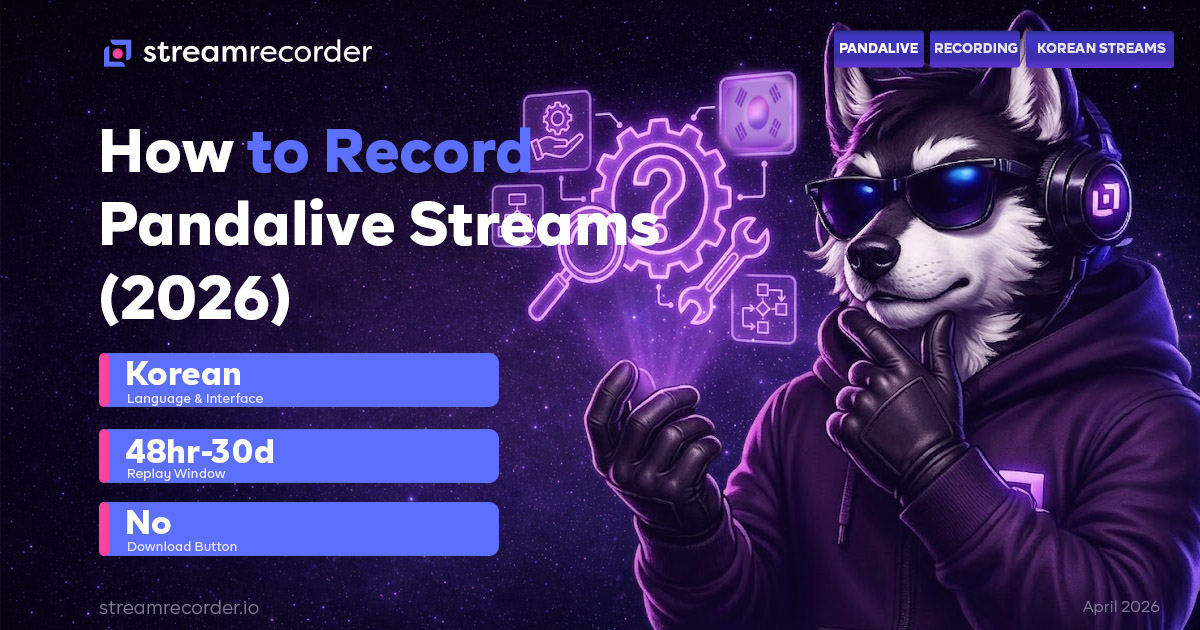
This is where things get frustrating. Pandalive does have a replay system. Streamers can make their past broadcasts available as rewatchable content on their profile pages. Some do. Many don't. And even when replays are available, the retention window is unpredictable.
Some Pandalive replays stay up for 30 days. Others disappear within 48 hours. There's no published policy that I've been able to find, and the window seems to vary by creator settings or account tier. What I can tell you from six months of watching is that you cannot count on any specific replay being available for more than a few days.
There is no viewer download button anywhere in the interface. Not on the web version, not in the app, not behind a paywall. If you want to keep a Pandalive broadcast, the platform gives you zero tools to do it.
Some broadcasts are also age-restricted. These require a verified Pandalive account to view, which in turn requires Korean identity verification. This creates an additional access barrier for international viewers that compounds the recording challenge.
If you've read our guides for SOOP and AfreecaTV or Twitcasting, this pattern will feel familiar. Korean and Japanese streaming platforms consistently prioritize the live moment over the archive. Pandalive just takes it further by making the replay window genuinely unpredictable.
Method 1: Cloud Recording
For international viewers especially, this is the most practical approach by a wide margin.
StreamRecorder.io supports Pandalive as one of its 11 platforms. You paste the creator's Pandalive profile URL, and the service monitors the channel. When the streamer goes live, recording starts automatically on a remote server. When they stop, the recording is saved to the cloud for playback or download.
No Korean language skills needed. No app installation. No Korean phone number or identity verification for the recording itself. The service handles detection and capture regardless of your location or what time zone you're in.
This matters for Pandalive specifically because of the time zone gap. Korea Standard Time (KST, UTC+9) means peak Pandalive hours are roughly 7pm to midnight in Seoul, which translates to 6am to 11am Eastern or 3am to 8am Pacific. Most international fans are asleep or at work during the broadcasts they want to watch. Cloud recording captures everything automatically, so the time zone problem becomes irrelevant.
Free tier records at 720p with up to three channels. Paid plans go up to 4K with more simultaneous recordings. For most Pandalive content, 720p is solid. The platform streams primarily from mobile devices, so source quality rarely exceeds 1080p.
For a broader look at how cloud recording compares to other approaches, check the cloud recording vs screen recording comparison.
Method 2: Screen Recording on Mobile
If you have the Pandalive app installed and can access broadcasts, your phone's built-in screen recorder works the same way it does on any other app.
On iPhone: Control Center, screen record button, enable microphone for audio, start recording. On Android: Quick Settings, Screen Record.
The problems are the same ones I've covered across every platform spoke in this series. Your phone needs to stay on with the app open. Battery drain is real during long sessions. Storage fills up fast. Notifications get baked into the recording. And you have to be actively watching the stream live.
For Pandalive specifically, there's an extra wrinkle. If you're an international viewer who managed to get the app installed and working, your connection to the Pandalive servers may not be as stable as a Korean user's. Buffering during a screen recording means buffering in your recording, permanently. A 2-second stutter during a PandaClass performance becomes a 2-second stutter in your saved file.
Screen recording works for grabbing a quick clip of something you're already watching. For reliable, complete recordings of broadcasts you care about, it's not the right tool.
Method 3: Desktop Recording with OBS
Open Pandalive in a desktop browser (the web version works at pandalive.co.kr), set up OBS Studio to capture the browser window, and record to your hard drive.
Desktop recording gives you better quality control than phone screen recording. Higher resolution, configurable bitrate and encoding, proper file format selection. OBS handles long sessions without the battery and thermal issues that phones hit.
But the access and timing constraints still apply. You need to be at your desk with OBS running when the stream starts. For a platform where most content airs during Korean evening hours, that's a tough ask for most international viewers. Even if you set an alarm for 6am to catch a PandaClass session, you need to keep your computer running with OBS recording for however long the broadcast lasts.
The Korean-language interface adds friction on desktop too. Navigation, finding the right streamer's page, and making sure you're on the correct broadcast page all require some familiarity with the platform's layout or basic Korean reading comprehension.
Method 4: Browser Extensions
Browser extensions like Video DownloadHelper can sometimes detect the video stream playing in a Pandalive browser tab and offer a download option.
I tested this with mixed results. Some Pandalive replays were detected correctly by the extension. Live broadcasts were not. And the reliability was inconsistent even for replays, sometimes capturing only fragments or detecting nothing at all.
This is a last-resort option if you just need to grab one specific replay that's currently available and you don't want to install OBS. For anything more regular, it's not dependable enough.
The Korean Streaming Landscape Context
Pandalive doesn't exist in isolation. It's part of a Korean live streaming ecosystem that includes SOOP (formerly AfreecaTV), CHZZK (Naver's platform), and several smaller services. Each platform has its own audience, content focus, and approach to replays and downloads.
SOOP has the longest history and the largest library of Korean streaming content. CHZZK is growing fast after Twitch exited South Korea in early 2024, pulling many Korean streamers to a domestic platform. Pandalive carved out a niche with its performance-oriented content, especially PandaClass.
What all three share is a philosophy that live content is primarily meant to be experienced live. Replay systems exist but are treated as secondary. Viewer downloads are either nonexistent or heavily restricted. The assumption is that if you missed the stream, you missed the stream.
For international fans who discovered Korean streaming through clips on TikTok or YouTube and want to go deeper, this philosophy creates a real barrier. Cloud recording is the practical bridge between "I saw a clip and want more" and "I can actually follow this creator's content reliably."
For platform-by-platform data on how the Korean streaming landscape is evolving, the streaming platform statistics page tracks viewership and engagement across all major services.
Tips for Recording Pandalive
Learn the schedule patterns. PandaClass sessions and other recurring Pandalive formats tend to follow weekly schedules. Once you identify a creator's typical broadcast days and times, you can set up cloud recording and know roughly when to expect new content.
Use the Pandalive profile URL directly. You don't need to navigate the Korean interface to set up cloud recording. Copy the URL from the streamer's profile page and paste it into StreamRecorder.io. The service handles the rest.
Check replay availability quickly. If a streamer you follow does leave replays up, don't assume they'll stay. Some Pandalive creators delete replays within a day or two. If you see a replay and want it, grab it immediately or make sure your cloud recording already captured the live broadcast.
Account restrictions matter. Some Pandalive broadcasts are age-gated. Cloud recording services record what's publicly accessible. If a broadcast requires account verification you haven't completed, it may not be capturable through cloud recording. Check the specific creator's account requirements.
Bottom Line
Pandalive is a niche platform with genuinely unique content. PandaClass performances, in particular, are unlike anything available on Western streaming services. But the combination of Korean-language interface, unpredictable replay windows, zero download options, and the KST time zone makes it one of the harder platforms to follow from outside Korea.
Cloud recording collapses most of those barriers into a single solution. You point it at the channel, and it handles the language, the time zone, and the preservation problem in one step. Everything else requires you to be present, awake, and actively managing a recording at Korean evening hours.
I haven't missed a PandaClass session in four months. My phone's alarm clock had nothing to do with it.
For recording guides on other Korean and Asian streaming platforms, see our guides for SOOP and AfreecaTV, Twitcasting, Bilibili, and Douyin. For the full recording method breakdown, start with the complete guide to recording live streams. Platform data lives at the StreamRecorder Research Hub.