How to Download Twitch VODs Before They Disappear (2026)
How to Download Twitch VODs Before They Disappear (2026)
Twitch by the Numbers (2026)
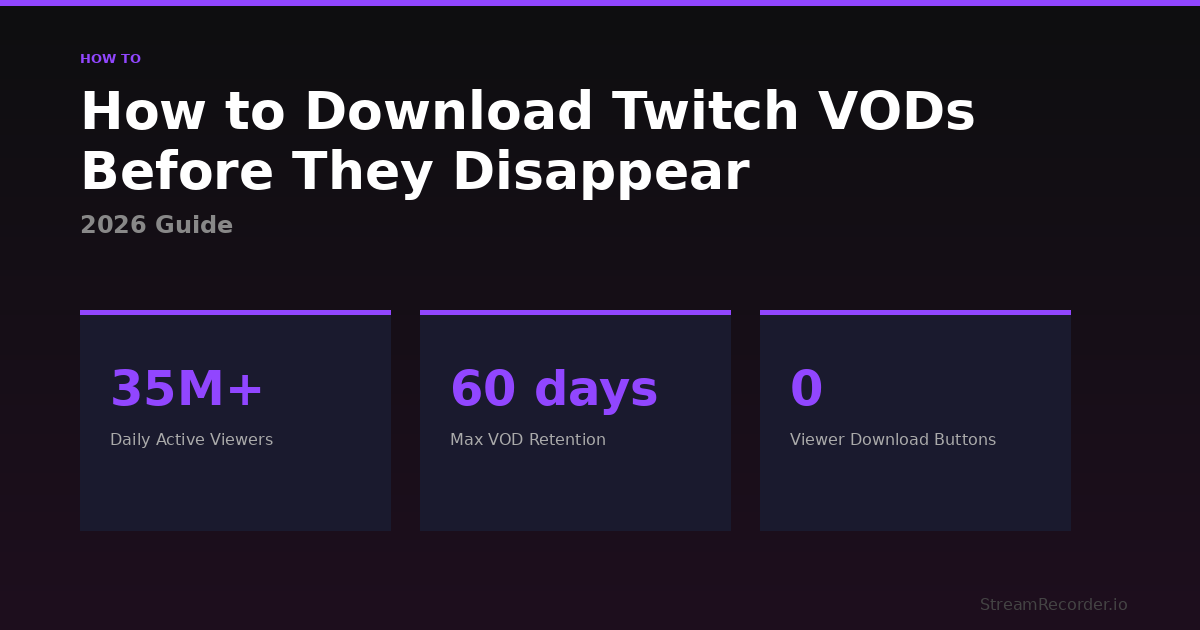
| Daily Active Viewers | Monthly Streamers | VOD Expiration (Partners) | Viewer Download Button |
|---|---|---|---|
| 35M+ | 7.5M+ | 60 days | None |
I watched a 6-hour charity stream on Twitch back in November. Great event, multiple creators rotating in, raised something like $40K for a children's hospital. I wanted to go back and clip a segment where one of the streamers broke down crying when they hit the donation goal. Genuinely moving stuff. Went back four days later and the VOD was gone. Just gone. The streamer was an Affiliate, which means Twitch gave them a grand total of 14 days to do something with that footage. They didn't. Nobody told them the clock was ticking. And now a moment that mattered to a lot of people just doesn't exist anymore.
That's Twitch in 2026. The biggest live streaming platform on the planet, 35 million daily viewers, and they still treat recorded content like it's taking up space they'd rather use for something else. The VOD system exists, technically. But it's designed in a way that practically guarantees you'll lose something you care about eventually.
I've tested every method for saving Twitch streams over the past few months. Five approaches, each with their own flavor of disappointment. Here's what actually works and what's a waste of your time. For context on how this compares to other platforms, the complete guide to recording live streams covers the full picture.
Twitch's Native VOD System: Worse Than You Think
Let's start with what Twitch itself gives you, because most people assume the platform handles this. It doesn't. Not really.
First problem: "Store past broadcasts" is toggled OFF by default. That means every new streamer on Twitch is losing their VODs automatically until they manually dig into Creator Dashboard and flip that switch. I've talked to streamers with 50K followers who didn't know this setting existed. They'd been streaming for months thinking Twitch was saving everything. It wasn't saving a damn thing.
Second problem: even after you turn it on, there's a timer. Regular users get 7 days. Affiliates get 14. Partners and anyone with Prime or Turbo get 60. After that the VOD is permanently deleted. Not archived somewhere you can request it later. Not moved to cold storage. Deleted. The only escape hatch is manually converting a VOD into a Highlight before the timer expires, or exporting it to YouTube. Both require you to remember to do it, and if you're streaming five days a week, that's a lot of remembering.
Third problem, and this is the one that really gets me: viewers can't download anything. That download button in Video Producer? Broadcaster only. If you're watching someone else's stream and want to save it, Twitch offers you exactly zero tools to do that. You can clip 60 seconds max. That's it. A 6-hour stream and your official option is one minute of it.
And then there's the music thing. Twitch's copyright detection system scans VODs after the fact and mutes sections where it detects licensed audio. So the version of the stream you watched live with full audio? The archived VOD might have 30-minute chunks of dead silence where the streamer had a Spotify playlist running. You don't get warned about this. You just go back to rewatch and suddenly half the audio is missing. It's not a bug, it's literally how Twitch designed it to work.
OBS Studio: The Control Freak's Option
OBS is free, open-source, and gives you more control over recording quality than anything else on this list. If you're a streamer who wants a local backup of your own broadcast, OBS is hard to beat. You set your resolution, your bitrate, your encoder, your file format, and it records everything to your hard drive at exactly the quality you specified.
I tested this recording someone else's Twitch stream through a browser window. Opened the stream in Chrome, set OBS to capture that window, hit record. The output at 1080p with hardware encoding looked clean. Audio was perfect. No Twitch copyright muting because the recording happened locally, completely separate from Twitch's systems.
The problems are the same ones that hit me with every other platform. OBS requires you to be there. Physically sitting at your computer, with OBS open, with the stream loaded, pressing record manually. A creator you follow goes live at 4 AM? You're not recording that. You're asleep. OBS doesn't know Twitch exists. It doesn't monitor channels. It doesn't detect when someone starts broadcasting. It records exactly what you point it at, exactly when you tell it to, and absolutely nothing else.
Storage adds up quick too. A 4-hour Twitch stream at 1080p/6000kbps comes out to roughly 10-12 GB. I record three or four streams a week when I'm actively testing and my external drive fills up faster than I expected. You start budgeting for hard drives the same way you budget for subscriptions. It's just a recurring cost now.
The other thing people don't mention: if you're trying to use your computer for anything else while OBS is recording, you'll feel it. The x264 software encoder is a CPU hog. Hardware encoding through NVENC or AMF is better, but your system is still working. Gaming while recording? Good luck unless your rig is serious. I tried it on a mid-range desktop and the frame drops were noticeable in both the game and the recording.
OBS is the right tool for streamers backing up their own content or viewers who know exactly when a stream is happening and are willing to sit there for the duration. For anything else, it's the wrong tool.
Browser Extensions and Third-Party Downloaders
This is where people get burned the most, because the promise sounds perfect. "Download any Twitch VOD with one click." Extensions like Video DownloadHelper, or websites that ask you to paste a VOD URL and spit out a download link. Sounds great. Works about half the time.
The fundamental issue is that Twitch actively patches against these tools. An extension that grabbed VODs perfectly last Tuesday might throw errors by Thursday because Twitch changed something in their video delivery pipeline. I tested three different browser extensions over a two-week period and every single one failed on at least one VOD during that stretch. One of them just silently downloaded a corrupted file. No error message, no warning, just a .mp4 that wouldn't play. I didn't notice until I tried to open it days later.
Third-party downloader websites have the same fragility plus their own set of problems. Some cap your download resolution at 720p regardless of what the VOD was broadcast at. Some inject ads into the download process. A couple of the ones I tested triggered my browser's malware warning, which I took as a sign to close the tab and move on with my life.
Even when these tools work perfectly, they only work on VODs that still exist. Remember the expiration timers? If the VOD expired before you got around to downloading it, there's nothing to download. The tool is useless against Twitch's deletion schedule. You're racing a clock that you might not even know is running.
For Twitch Clips specifically, some downloaders handle those more reliably since Clips are smaller and stored differently. But Clips are capped at 60 seconds, which is useless if what you want is a full stream or even a 20-minute segment.
I'm not saying never use these tools. If you need to grab a specific VOD that's still live and you need it right now, a browser extension might get the job done. But building a workflow around tools that break constantly and only work on content that hasn't expired yet is setting yourself up to lose stuff.
Cloud Recording: Set It and Forget It
After losing that charity stream VOD and then losing two more streams from creators who just didn't bother with Highlights, I switched to cloud recording and haven't looked back.
The concept is simple. A remote server watches the Twitch channels you tell it to watch. Someone goes live? Recording starts automatically on the server. Not on your computer. Not in your browser. Your devices have nothing to do with it. You could be on a plane with your laptop off and the recording still happens.
I use StreamRecorder.io for this. Works across Twitch and 10 other platforms. You add the channel names, and that's it. The service handles detection, recording, and storage. Free tier gets you 720p and up to three channels. Paid plans push to 4K with way more channels. The recordings sit on their servers until you watch them or download them.
What sold me was a specific scenario. I follow a Twitch streamer who does unannounced late-night streams, usually starts around 1 or 2 AM Eastern. No schedule, no tweets, just randomly goes live. Before cloud recording I caught maybe one out of every four of these. Now I catch all of them. Every single one. I wake up, check my recordings, and the full stream is sitting there waiting. That shift from "hope I'm awake" to "it's already handled" changed how I think about live content entirely.
The tradeoff is that you're trusting a third-party service with the recording. If the service goes down or changes their retention policy, your recordings could be affected. I download anything I really want to keep to my own drive as a backup. Belt and suspenders. But for the day-to-day of just making sure I don't miss streams, cloud recording eliminated the problem entirely.
No copyright muting either, by the way. The recording captures the stream as it aired, full audio, because it's not running through Twitch's post-broadcast content ID system. What you heard live is what you get in the recording.
Side by Side
| Method | Automatic? | Full Quality? | Cost | Main Limitation |
|---|---|---|---|---|
| Cloud recording | Yes | Up to 4K (paid) | Free tier / Paid | Relies on third-party service |
| Twitch native VODs | Partial | Source | Free | Expires 7-60 days; viewers can't download; audio muting |
| OBS Studio | No | Source | Free | Must be present; large files; CPU intensive |
| Browser extensions | No | Varies | Free | Break frequently; only works on existing VODs |
| Third-party downloaders | No | Often capped | Free / Paid | Unreliable; some sketchy; same expiration problem |
The Copyright Muting Problem Nobody Talks About
This deserves its own section because it catches people off guard constantly. You watch a Twitch stream live. The streamer has a chill lo-fi playlist going in the background, or they're playing a game with a licensed soundtrack. Everything sounds fine during the live broadcast. Two hours later you go back to the VOD and entire chunks of audio are just gone. Silence. Sometimes 10 minutes, sometimes 40 minutes, sometimes more.
Twitch uses an automated system that scans VODs after broadcast and mutes any sections where it detects copyrighted music. The streamer might not even know it happened until someone complains. And there's no way to get that audio back once it's muted. The original unmuted version doesn't exist on Twitch's servers anymore.
This is specifically a VOD problem. Live broadcasts aren't affected in real time. Which means the only way to preserve the full audio of a Twitch stream is to record it yourself, during the live broadcast, before Twitch's content ID system gets to it. OBS handles this if you're there. Cloud recording handles it automatically. But if you're relying on Twitch's own VOD system, you're getting the censored version and there's nothing you can do about it after the fact.
Streamers who play music during broadcasts should assume their VODs will get partially muted. Plan accordingly. Use royalty-free music, use Twitch's own Soundtrack feature (which is supposed to separate audio tracks but has its own issues), or just accept that your VOD audio will have holes in it.
If You're a Streamer: Stop Assuming Twitch Has Your Back
Go into Creator Dashboard right now and check that "Store past broadcasts" is toggled on. Don't assume it is. I've seen this setting reset after updates. One streamer I talked to swore he'd turned it on months ago and when he checked it was off. No idea when it flipped. Could have been losing VODs for weeks without knowing.
Even with it on, don't treat Twitch as your archive. The expiration timer is real and it doesn't care how important the stream was. A 12-hour subathon that set your channel record gets the same 14 or 60 day window as a random Tuesday night session. If you don't manually Highlight it or export it, it's gone.
Run a backup alongside Twitch's system. OBS recording to a local drive if you're at your desk. Cloud recording if you want it hands-free. The five minutes it takes to set this up saves you from the sick feeling of realizing your best stream is permanently deleted because you forgot to click a button within some arbitrary window.
Label your recordings immediately. Not tomorrow, not this weekend, right now when the stream ends. Twitch VODs get generic timestamps that mean nothing in a list. "Past Broadcast 2026-02-18" tells you nothing three weeks later. Date, topic, anything notable, into the title or your notes while it's fresh.
And for the love of everything, download your VODs before they expire. Don't assume you'll get to it. The timer doesn't pause. I've watched streamers realize mid-sentence on their next broadcast that yesterday's VOD just expired. The look on their face tells you everything about how well Twitch communicates this.
This guide is part of StreamRecorder.io's complete guide to recording live streams. For platform comparison data, visit the streaming platform statistics page. See also: How to Download Kick Streams and How to Record TikTok Lives.